Showing posts with label convert video. Show all posts

Wednesday, June 26, 2013

Not just a DVDs & Videos Converter:Tipard Total Media Converter

Tipard Total Media Converter(Now discount with 65% off on moyeameida) features functional integration of DVD ripping and video converting. Serving as DVD ripping software, it enables users to rip DVD (Disc/Folder/IFO) to any video/audio formats, like MP4, WMV, AVI, MOV, MKV, M4V, MPG, MTV, SWF, MP3, FLAC, WMA, etc. The video converting capability refers to its strong input and output profile of any videos (HD/SD) and audios.


Moreover, the output profile classified in details and the quick search frame provided in the profile interface make the format searching easy. Its rich output formats are compatible with all portable devices (iPhone 5, iPad 4, Kindle Fire HD, Windows Phone, Samsung Galaxy Note/Tab/S, HTC One X included) and editing software (including Adobe Premiere Express/Elements/Pro, After Effects, Encore, Pinnacle Studio and stuff ).

Key Features
  • Powerful converting functions: Convert any DVD and video
  • Useful video editor: The editing function help you create customized output video
  • Adjust output settings: To compatible with different parameters of players
  • Fast and convenient: Brings you with unbelievable speed and convenience
Specification


Top Feedback


  • Language interface could be more (Although it has four already)
  • Convert both DVD and videos
  • Support MXF, MTS etc recorded files
  • Devices like iPhone 5, iPad 4, Apple TV 3, Microsoft Surface, etc are included
  • One mainly three-step software – can’t be easier that it
  • Have basic editing effect as some video-conversion only software
  • Only one skin, hope it could be more
Focal Spot Tracking

Here we could be so glad to see, this powerful software is not only a converter for both DVD and videos, but also is a basic editor for videos. As usual when we convert the videos or DVDs, we would like to rename or add watermark or crop the videos at same time. So Tipard Total Media Converter is really worthy to try for our daily visual life. And this software has the highest thumb up in the famous software recommended website named GOTD.

Much more inspired, The software is on a big deal recently, with coupon 65% off( Get it now) only valid on moyeamedia.com. It is all right for us.

Thursday, June 6, 2013

Magic video tool: Pavtube Media Magician for Windows and Mac

Pavtube Media Magician is a powerful camcorder resource manager and converter. It will help manage and convert camcorder footage on Windows or Mac, directly upload videos to YouTube for sharing, or output for further editing. Notable features include smart camcorder wizard, timeline-oriented editing, accurate trimming and cutting, lossless joining MTS/ M2TS/ MOD/ TOD to original format or MKV, Apple ProRes ouput for FCP editing (Mac only), and more.

Key features:

  • Smart Camcorder Wizard helps import and backup with clicks.
  • Transcode camcorder AVCHD MTS/ M2TS/ MXF/ MOV, and common TiVo, MKV, etc.
  • Capture clear image from source video.
  • Add 3D effect to camcorder videos converting 2D to 3D.
  • Accurate trim and cut videos on timeline.
  • Multi-task and multi-format conversion at one time.
  • Lossless combine MTS/ M2TS/ MOD/ TOD to original format or MKV.
  • Output files for FCP/ iMovie/ FCE, etc. (Mac only)
  • Convert files for editing in Avid Studio/ Adobe Premiere/ Sony Vegus, etc.
  • Convert camcorder and common videos for Apple and Android tablets and phones.
  • Upload to YouTube directly with account and video info.


Specification:


Top Feedback:
  • Be able to rotate a video at import or before edit for output
  • Looks good, sounds good, has to be good
  • Preserve MKV subtitles and 5.1 sound  
  • Trim MKV files without reencoding
  • Remove shaking from a video
  • support full screen mode on Netbook
  • Installed fine
Focal spot tracking

Video editing software is often difficult for beginners, in part because the terminology used to label controls is unfamiliar and in part because the number of controls and unfamiliar terms is often vast. Beginners can sometimes be forgiven for wondering if they accidentally obtained a foreign language version. But once you install this software, you can see the hopeful user guide, and the friendly user interface. And this is really deservedly named magician.

Now, you can learn more at its officer website, and you can also get the coupon code with 20% off at here.

Tuesday, June 4, 2013

All-in-one photo & video to DVD slideshow: Wondershare DVD Slideshow Builder (Standard & Deluxe)

Wondershare DVD Slideshow Builder Standard will help you to create and share a photo movie masterpiece.


Looking for an easy yet impressive way to burn your photos to DVD or share photos online? With Wondershare DVD Slideshow Builder Standard, literally drop-in your favorite photos and music, add built-in cinematic effects with a click and instantly create a compelling photo slideshow complete with title menu, soundtrack and even special effects.

Features
  • Breathe new life into vacation, wedding, graduation and other albums.
  • Harness the creative power of 210+ custom slide templates and editing tools.
  • Look like a pro with built-in film effects.
  • Premier and share your shows on YouTube, Facebook, iPhone and more.
Specification


Comparison of the Two Versions


Top Feedback
  •   Maybe lower the price to reflect what it does and doesn't do for standard version
  •   Add more effects that makes the much more different from Windows Movie Maker
Focal spot tracking

Nothing could be perfect but the price. As we all known, price is always important fact for us to make a decision when we choose something. Recently, Wondershare Software have announced that all its products at website moyeamedia.com were on discounts with up to 45% off.  The price of Wondershare DVD Slideshow Builder Standard is $21.97 and the deluxe version is $31.48. The price is almost the same, and the deluxe one is really much more powerful than the standard one. 

So you can search "wondershare" at moyeamedia.com get the big deal, of course you can search "Wondershare DVD Slideshow Builder" directly.

Monday, June 3, 2013

Best-Video-Converter to Mobile on 100% off: WinX Mobile Video Converter


WinX Mobile Video Converter is designed to give you a brand-new video converting and editing experience across Samsung Galaxy, HTC, Amazon Kindle Fire, Microsoft WP8, Google Nexus, Apple iPhone, iPad, Nokia, etc. It’s time to manage your video files and give them a new look!

Key features:

  • Support 320 video codecs and 60 audio codecs. Build with 200 profiles, covering about 60 popular Android and WP8 mobile phones/tablets.
  • Support MKV, AVCHD, Blu-ray M2TS videos, WMV, AVI, MP4, MPEG, FLV, VPX 8, WebM videos, etc, as input.
  • Convert any videos to Android phones, e.g. The New HTC One, Galaxy S3/S4, Motorola, Acer and iPhone, Nokia, etc.
  • Convert and play any videos on Google Nexus 7, Kindle Fire, HTC, Samsung, Asus, iPad and other tablets..
  • Grab music from videos to save as MP3/AAC/FLAC/ALAC audio.
  • Edit videos by enabling merging, cropping, trimming, and adding external *.srt subtitle to your downloaded movies.
  • Deliver 15x faster real-time conversion speed with first-class video audio quality.


Specification:

Top feedback:

  • Kindle conversion make more transparent and easy 
  • Add support for ATI Stream and CUDA
  • Support a different class of mobile device 
  • Add a estimated filesize preview
  • conversion for Nook 
Focal Spot Tracking:

Nowadays, we can see smartphone here and there, the number of people who own a smartphone is already one billion. For most people,  watch videos on their smartphone is becoming a part of their life.  But videos always have different formats that can not supported by the phone. So we need a video converter software, the professional and the lowest price always be the better one. WinX Mobile Video Converter just meet the two points when the publisher announce the big discount  with 100% off, Time-limited Giveaway.

Also big deal for you, if you want get more information about the series software of WinX published by Digiarty Software, you can search  "WinX" at website moyeamedia.com. This also works to famous-brand products.

Friday, May 31, 2013

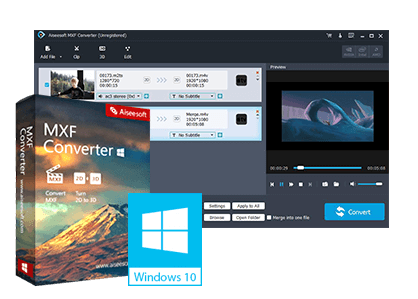
The best MXF converting solution tool: Aiseesoft MXF Converter (for Win and Mac)


Aiseesoft MXF Converter (Win/Mac) is the full-featured software designed for MXF file mainly recorded by Panasonic DVCPRO P2, Sony XDCAM, and Canon XF camcorder. The powerful software can convert MXF file to various video formats like MOV, AVI, WMV, MP4 etc supported by editor Sony Vegas, Adobe Premiere, Avid Media Composer, Apple ProRes, iMovie, DVCPRO, HDV, Avid DNxHD, XDCAM, and Apple InterMediate Codec. Plus the software can convert 2D MXF video to 3D video.


The converting speed is ultrafast. It can also convert MXF/P2 MXF files to mobile devices supported video formats, such as iPad, iPhone, iPod, PSP, Samsung Galaxy Note 2, Samsung Galaxy S4 and so on. Also this MXF Converter provide users with some basic video editing features for you to get perfect output video quality.

Key Features of MXF Converter
  • Convert MXF format to popular video
  • Convert 2D MXF to 3D
  • Customize MXF recordings to be perfect
  • Batch conversion and convenience
Specification of MXF Converter


Top Feedback
  • Make it so the it can convert things TO MXF
  • Add Format compatibility 
  • Include an update feature, but leave it unselected 
Focal Spot Tracking

Compared with the general video converter, Aiseesoft MXF Converter software is different with its special support MXF video formats. And this makes its more comprehensive converter. A report made by GOTD showed that 83% of 1000 participators with high satisfaction degree, and most of the rest 17% of 1000 participators thought the MXF supported funciton was unnecessary, because they didn't own a MXF device. The data also reflects that a quarter of participators hope that Aiseesoft MXF Converter can support output the MXF format in future. As the report said in the end, "It is really a nice converter, professional/quick/easy".

You can download the soft at its office website, but can only get the relevant coupon code in moyeameida.com.


Wednesday, May 22, 2013

The Top 5 Blu-ray Ripper

The higher, the better. Nowadays, lots of videos focus on their format quality much more than their content. Blu-ray Disc which called BD just meets the demand. In Wikipedia, it's says: Blu-ray Disc (BD) is an optical disc storage medium designed to supersede the DVD format. The plastic disc is 120 mm in diameter and 1.2 mm thick, it is the same size as DVDs and CDs. And if we want to copy the content from Blu-ray Disc, or we want to make another DVD, or any other videos format, we have to use a professional Blu-ray Ripper. 


Today we find out the top 5 Blu-ray Ripper, Leawo Blu-ray Ripper, Pavtube Blu-ray ripper, DVDFab Blu-ray ripper, Aunsoft Blu-ray ripper and Avcware Blu-ray ripper. The following content is about the top Blu-ray Ripper testing information.

Blu-ray ripper


The table shows the overall performance about these five Blu-ray ripper, and based on the comparison, we know the Pavtube Blu-ray ripper and Leawo Blu-ray ripper are better then others. But this cannot be the only reason for we choice the ripper we really want. For these two rippers, we also can find out some small differences. About the input files supported request, 3D Blu-ray Discs will not be supported by  Leawo Blu-ray ripper, and M2TS will not be supported by  Pavtube Blu-ray ripper. So nothing is perfect, we should try our best to find out which Blu-ray ripper fit our expectations best.

Of couse, you can click here, and read deeply about the reviews.